ADFdi stands for Application Development Framework Desktop Integration. It’s an Oracle tool that lets you connect Microsoft Excel with Oracle Fusion Applications so users can upload, download, and edit data directly in Excel while interacting with Fusion modules (like Finance, SCM, HCM).So installing ADFDI for data Migration is mandatory for day to day data migration
Functionality of ADFdi Does
- Provides Excel-based interface for Oracle Fusion
- Allows bulk data entry and updates
- Uses web services behind the scenes
- Commonly used for:
- Journal uploads (GL)
- Supplier data
- Project data
- Asset data
Watch here How to create journal entries in Oracle Fusion R13|using ADFDI|Spreadsheet
First shutdown all Office Applications and any other application that are active. To install ADFdi, login to the Oracle Cloud ERP application. Download the Desktop Intgeration.
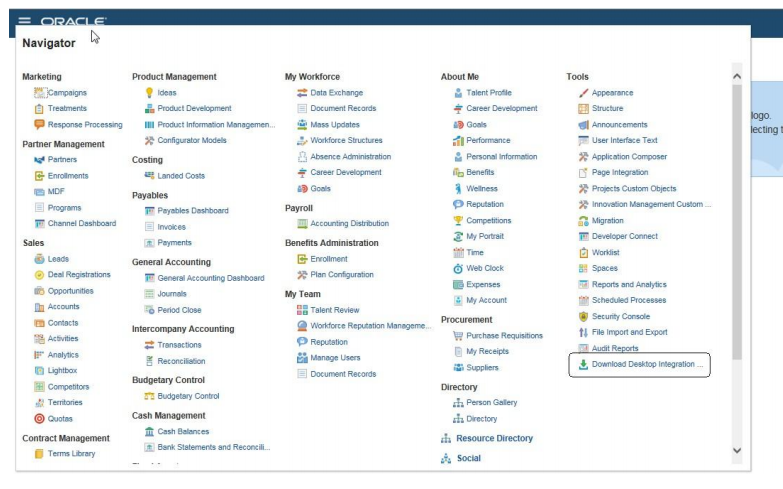
And run the program to install the software.
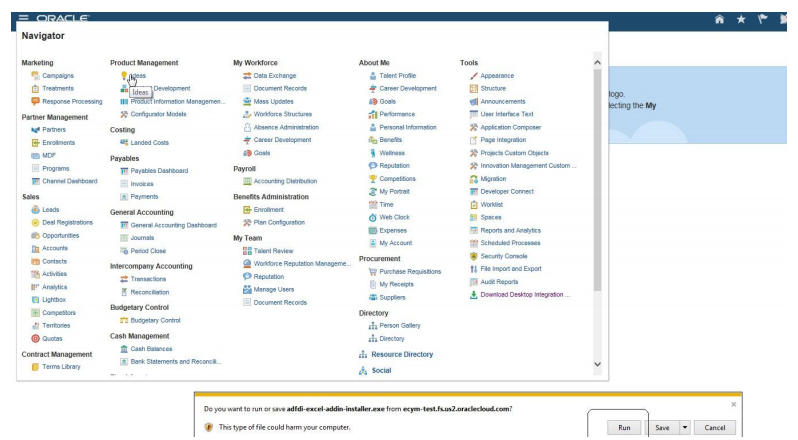
Make sure you have install privileges on the machine you are installing or it will not install correctly. The
software will take you through a series of steps to install the software. Once it is installed, do the following steps.
Check here to get Oracle Fusion Instance/Server access
Excel Settings for ADFdi and SmartView-Installing ADFdi
Step1:Excel Security Options and VB Options
Open an empty excel spreadsheet. Navigate to Excel Options
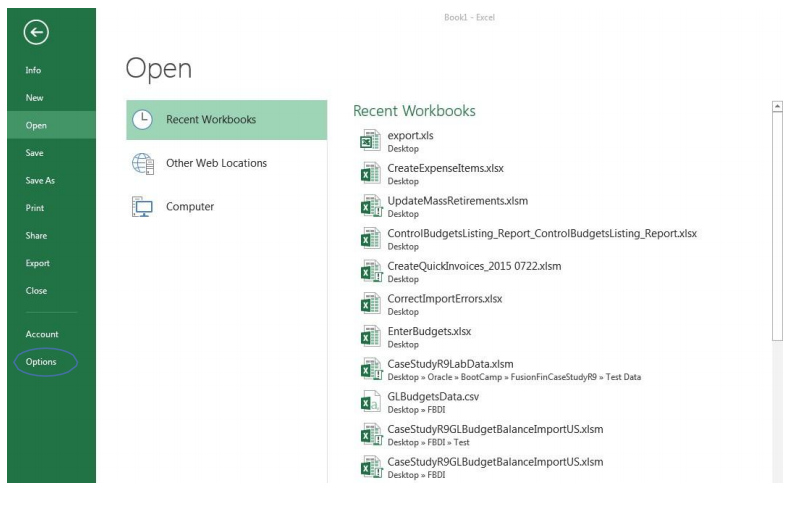
Click on Options. Navigate to Trust Center.
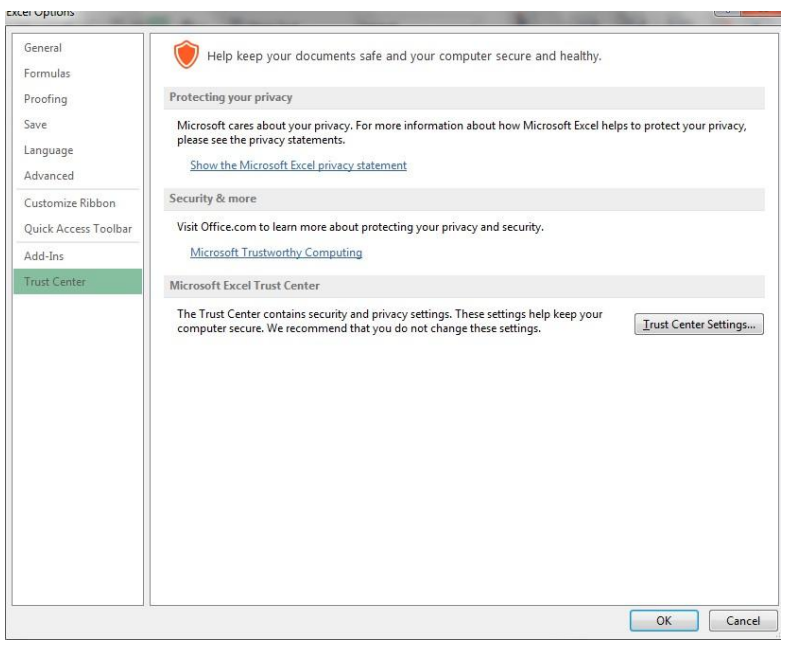
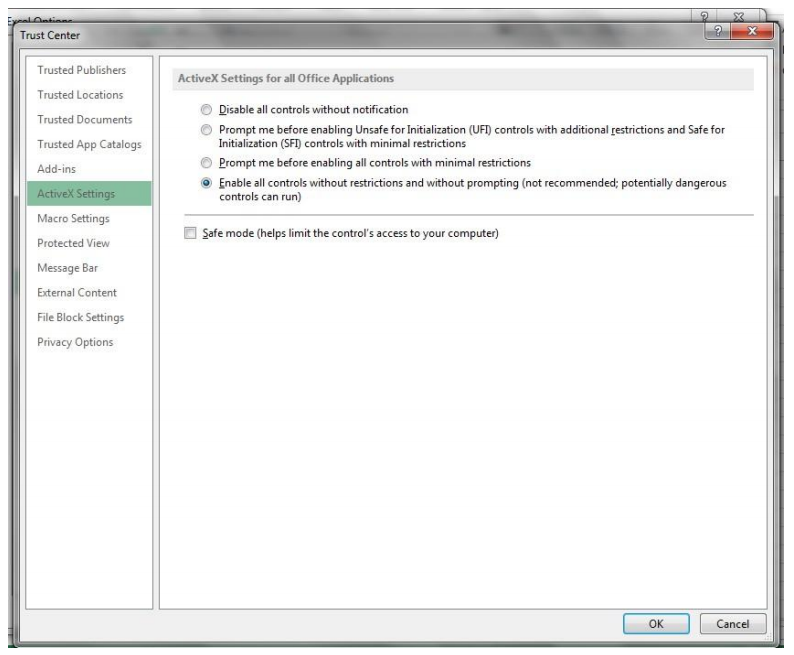
Click on Trust Center Settings. Navigate to Active X settings and make sure it looks like the below.
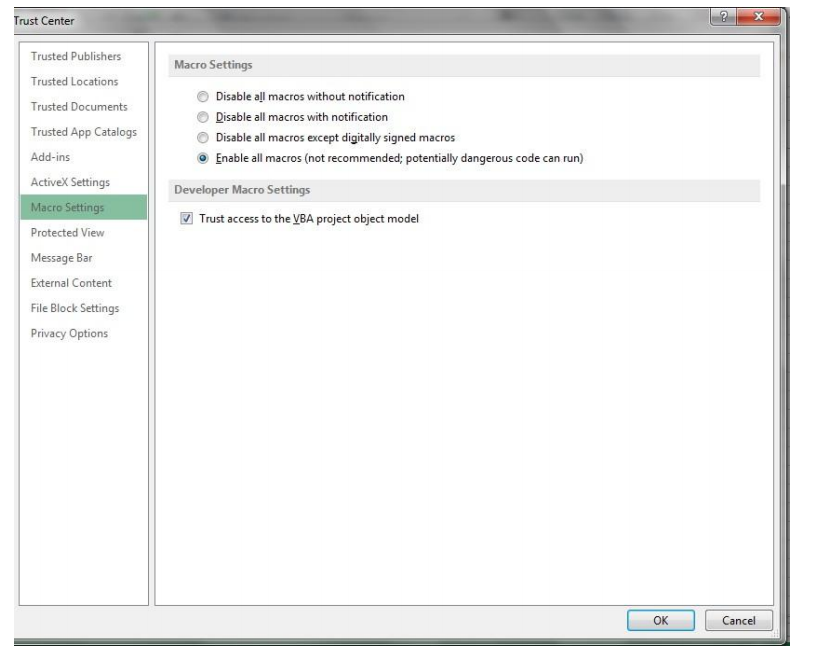
Navigate to Macro Settings and make sure it looks like this.
Step2:Check for Add- Ins
Navigate to Excel Options and click on Add-Ins and select Com Add-Ins and select Go.
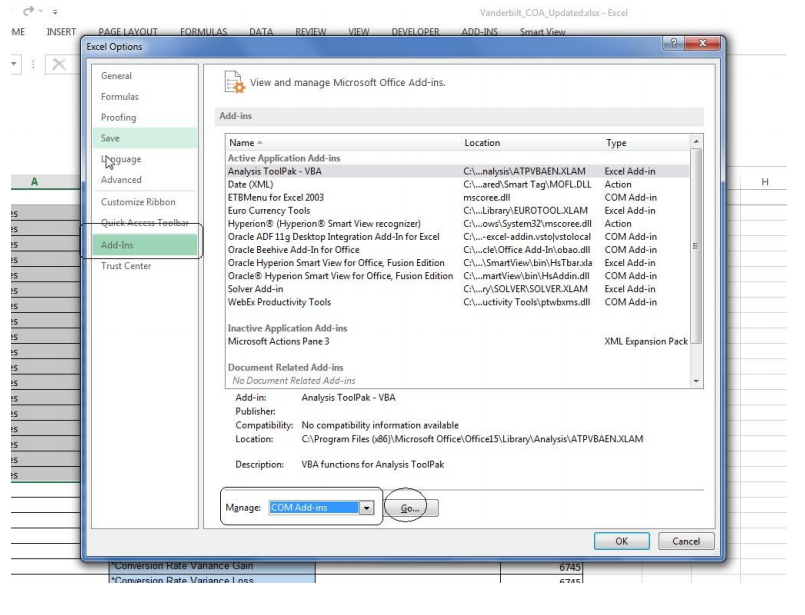
And check if this is enabled.
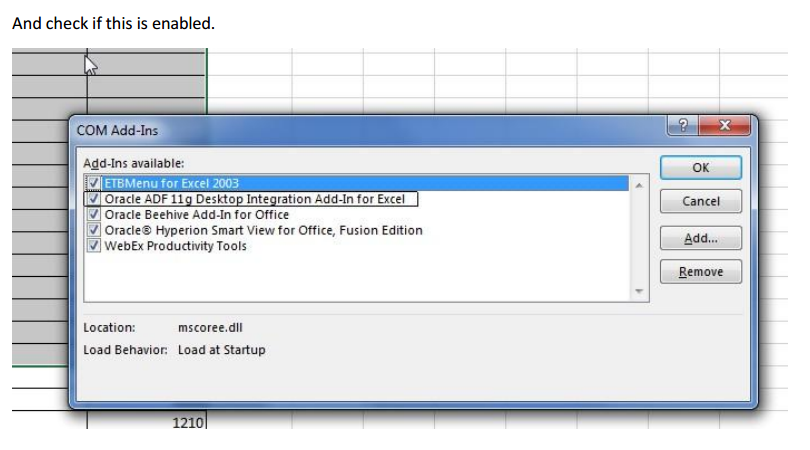
If Oracle ADF 11g Desktop Integration is enabled.
Optional Steps
Step3:Internet Explore Settings
Sometime Client IE Browsers may have a lot of security enabled to prevent attacks. You may want to
consider moving the oraclecloud.com domain to the Trusted Sites area
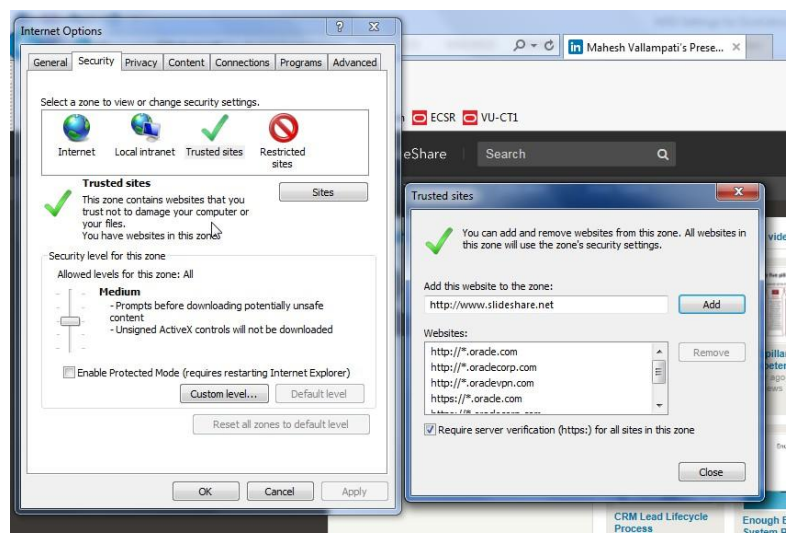
Step 4:ADFdi Setting Checker
Oracle Support has created a tool to check ADFdi settings and is available as an exe. The exe should be downloaded and run and will list issues that can be resolved. Exe Information ADFdi client checking tool. This is an internal link. The link is here. This is available for Oracle employees only and may be used by Oracle support. Exe Health Check Output
check hear External transactions and bank transfer in Oracle Fusion CM


