Roles Required
Before starting the Setup Budgetary Control process, make sure the user has the required roles:
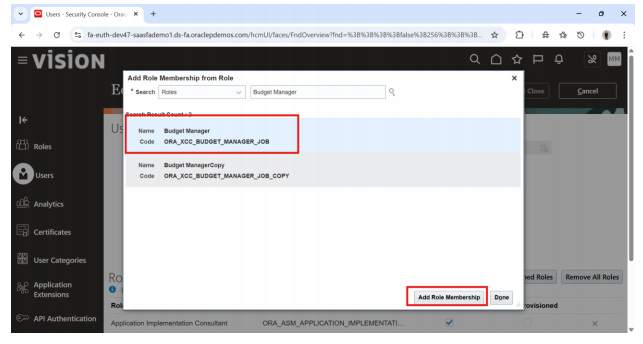
Budget Manager
Steps to Add Role:
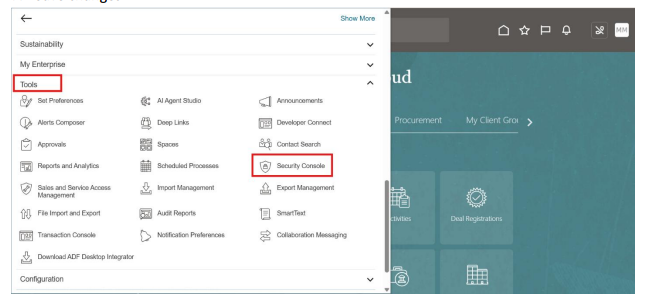
- Go to Tools → Security Console
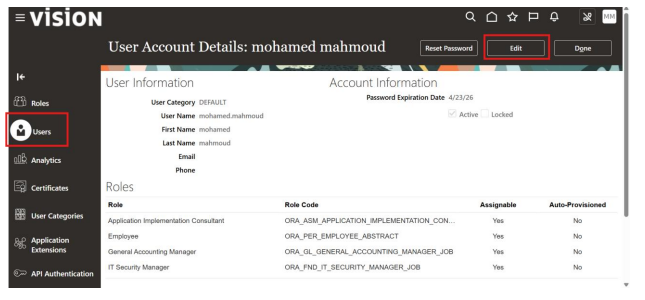
- Open Users
- Search for the user
- Click Edit
- Go to Roles → Add Role
- Add the required roles
- Save changes
For Oracle Fusion server access click here
How to Enable Budget in Oracle Cloud-Setup Budgetary Control
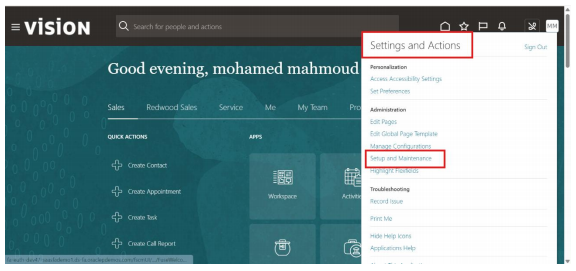
- Settings and Actions → Setup and Maintenance
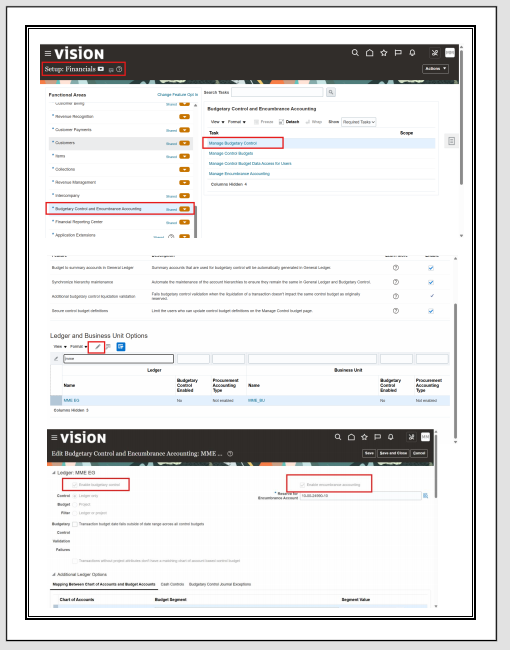
- Search for: Budgetary Control and Encumbrance Accounting
- Open the task : Manage budgetary control
- Edit
- Enable Budgetary Control at the Ledger Level
- Enable Encumbrance Accounting at the Ledger Level
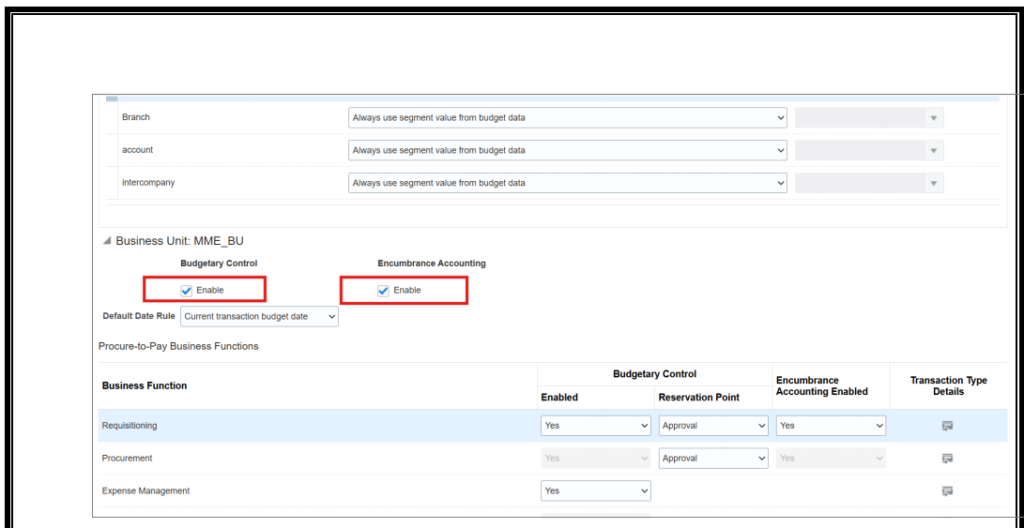
- Enable Budgetary Control at the Business Unit Level
- Enable Encumbrance Accounting at the Business Unit Level
- Save and Close
Check here –Period close process best practice in PPM
How to create budget calendar -Setup Budgetary Control
- Settings and Actions → Setup and Maintenance
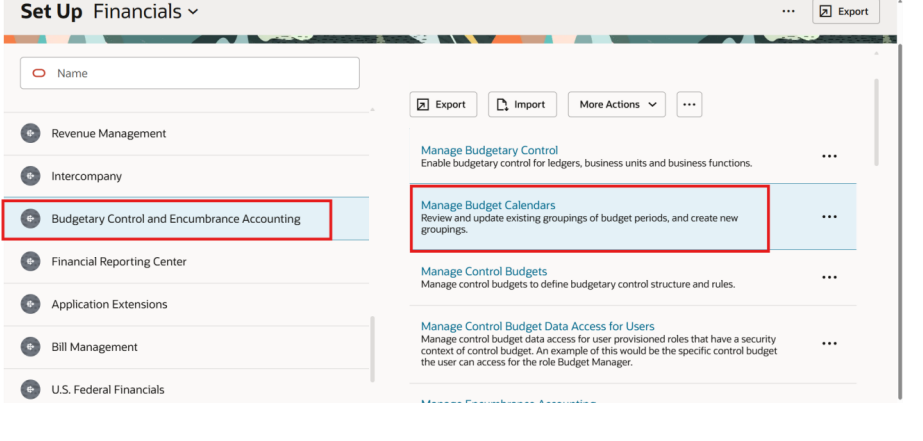
- Search for : Budgetary Control and Encumbrance Accounting
- Open the task : Manage budget Calendars
- Create
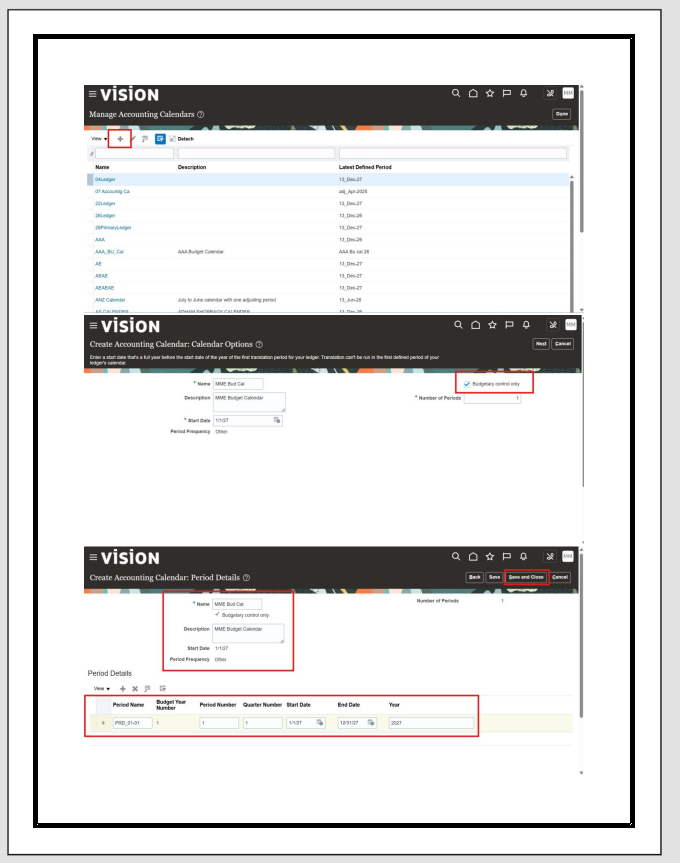
Link User to Employee-Setup Budgetary Control
- Settings and Actions → Setup and Maintenance
- Search for: Users and Security
- Open the task : Manage Users
- Create
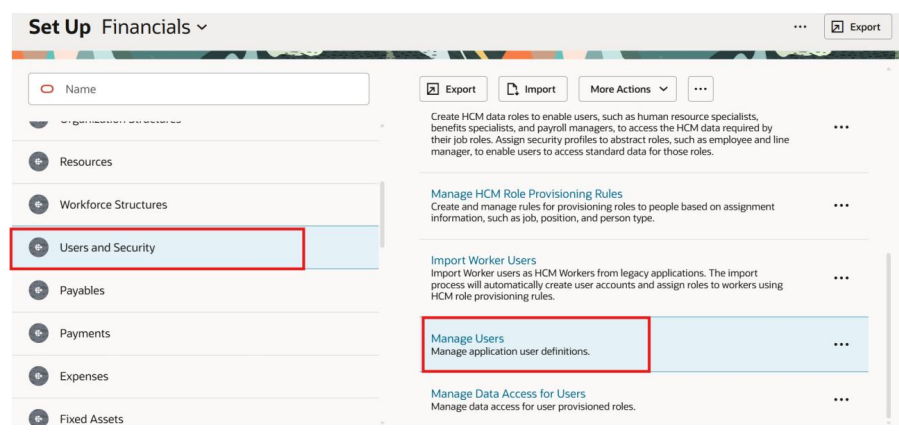
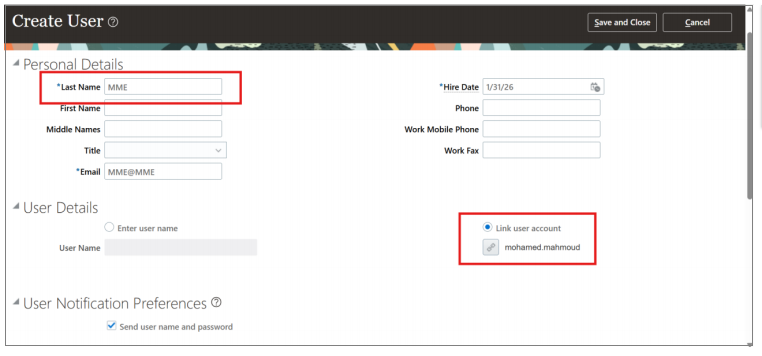
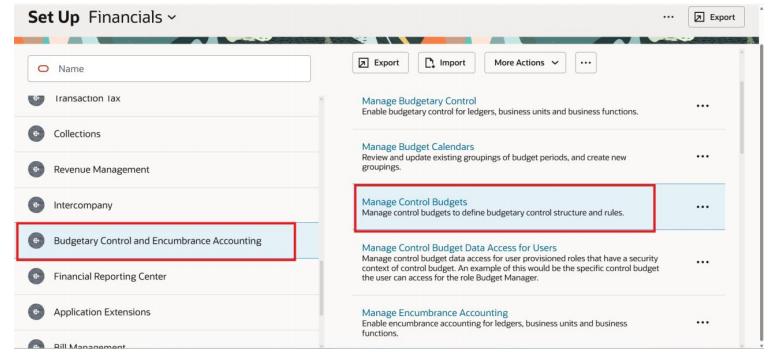
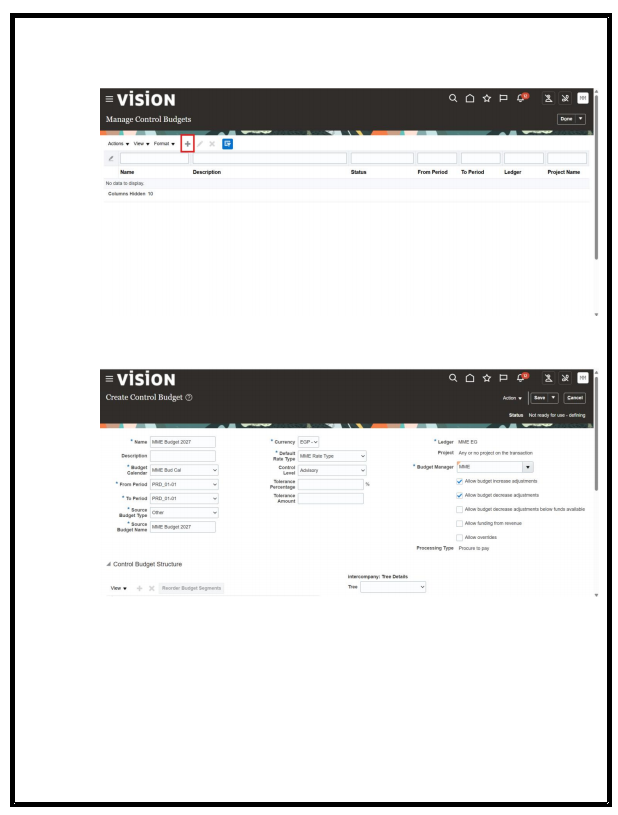
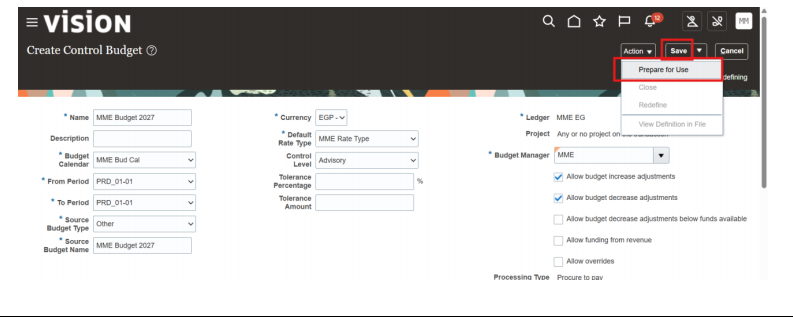
Manage Budget Control-Setup Budgetary Control
- Settings and Actions → Setup and Maintenance
- Search for :Budgetary Control and Encumbrance Accounting
- Open the task : Manage Budget Control
- Create
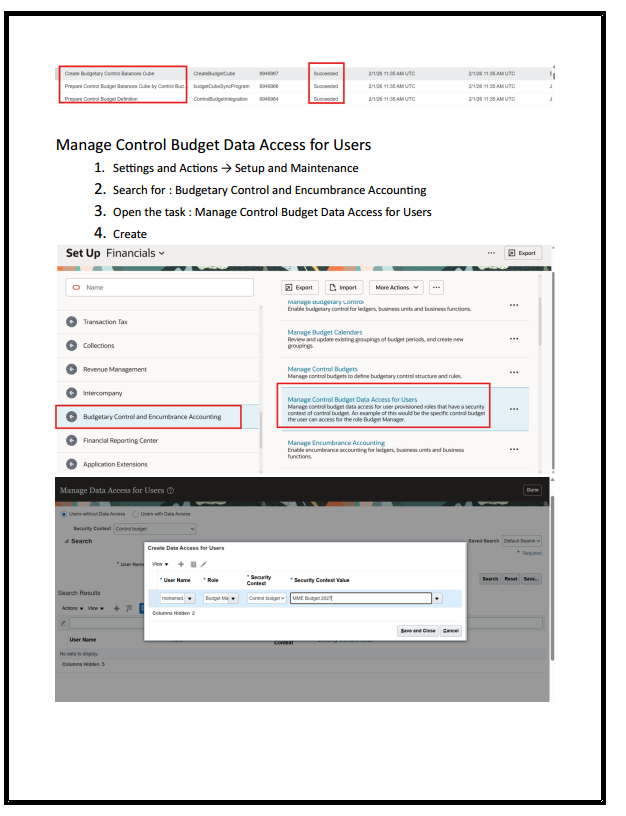
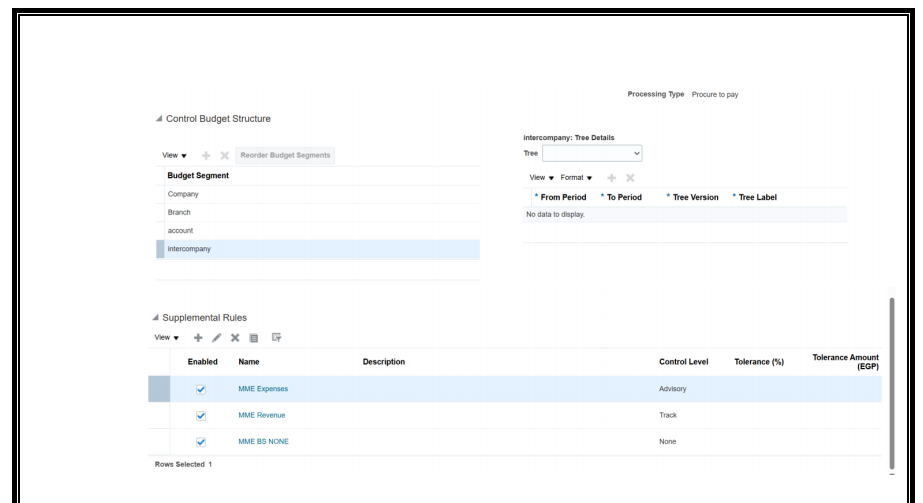
What are the types of Control Levels in Oracle Budgetary Control?
- Absolute : The system completely prevents the transaction if it exceeds the available budget
- Advisory : The system only gives a warning when the budget is exceeded the available budget
- Track : The system records and tracks budget consumption but does not warn or stop the transaction.
- None : No budget checking is performed.The system does not track, warn, or stop any transactions.

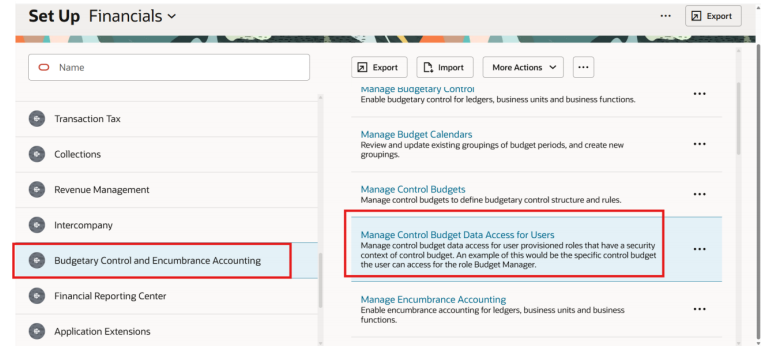
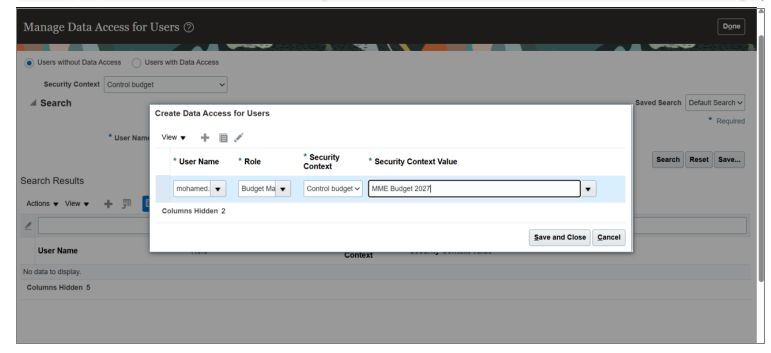
Manage Control Budget Data Access for Users
- Settings and Actions → Setup and Maintenance
- Search for : Budgetary Control and Encumbrance Accounting
- Open the task : Manage Control Budget Data Access for Users
- Create
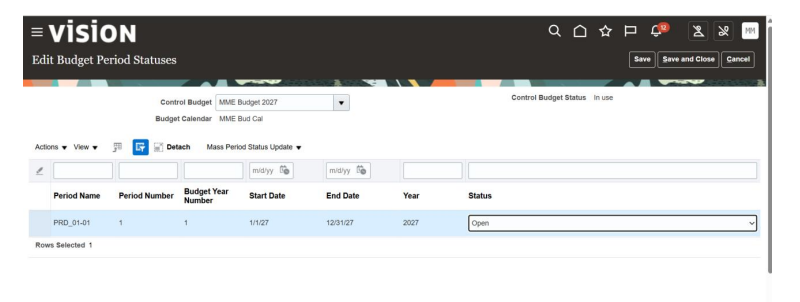
Steps to Open Budget Period
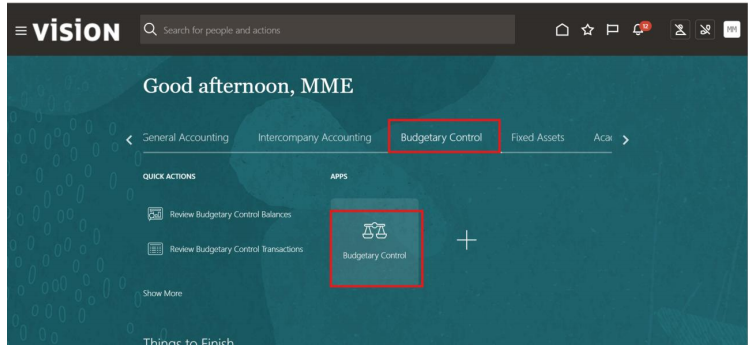
- Go to Home.
- Select Budgetary Control.
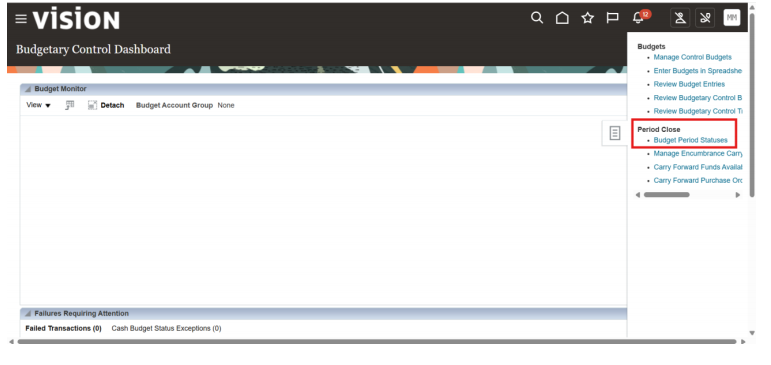
- From the Tasks Panel, choose Budget Period Status.
- Select the Period you want to open and click Open.
Upload Budget Balances
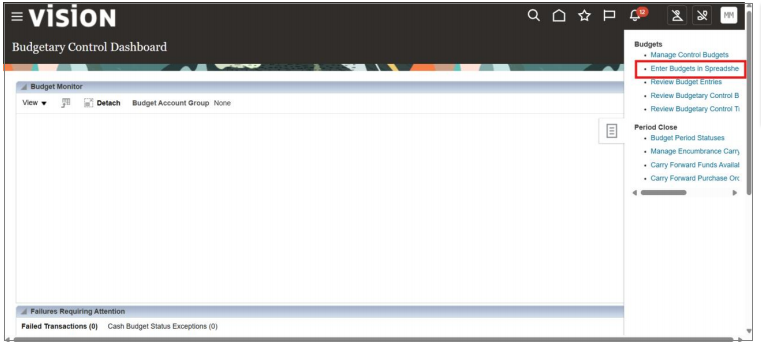
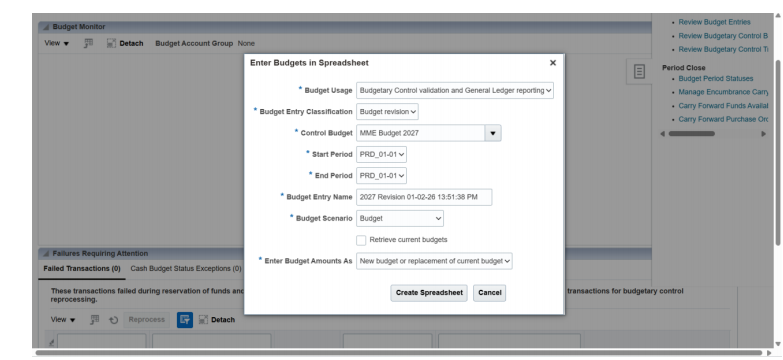
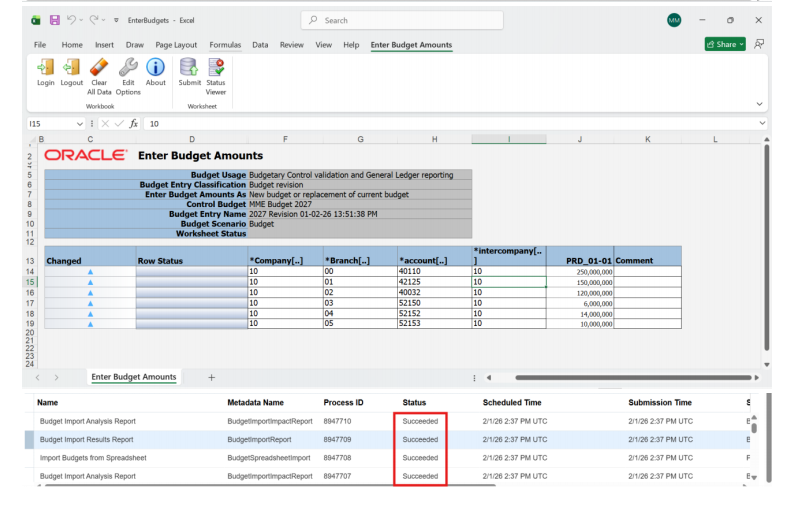
Steps to Enter Budget in Spreadsheet
- Go to Home.
- Select Budgetary Control.
- From the Tasks Panel, choose Enter Budget in Spreadsheet.
- Download the template, fill your budget data, then upload it back to the system.
Check here How to create Recurring Journal In Oracle Fusion using Allocation manager


