In Oracle Fusion Cloud Financials, an AI Agent is essentially an intelligent automation component that can understand business context, make decisions, and perform actions automatically using Oracle’s APIs, business objects, and rules.
Think of it like a smart assistant inside Oracle Fusion that doesn’t just follow rules—but can also analyze, decide, and act.
Check here –How to create AI agent using Business Object
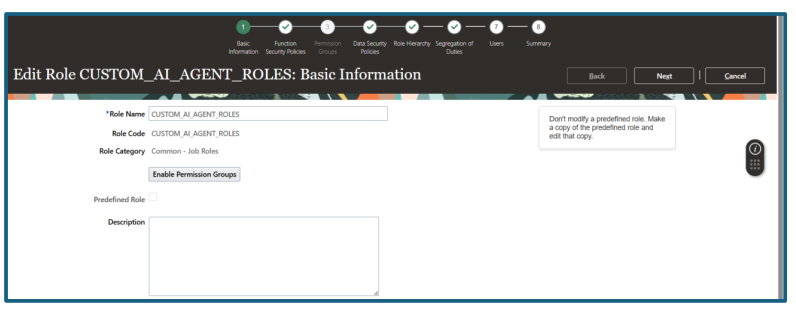
Create Custom Role to have all access to AI Agent Studio-
AI Agent in oracle fusion
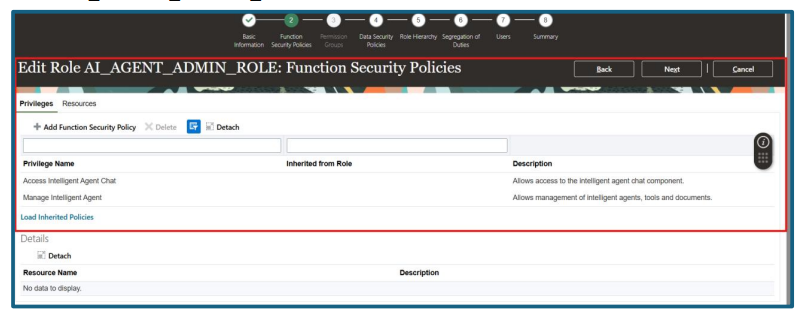
Roles/Privilege Description
HRC_MANAGE_AI_AGENT_PRIV Enables management of intelligent agents,
tools and documents.
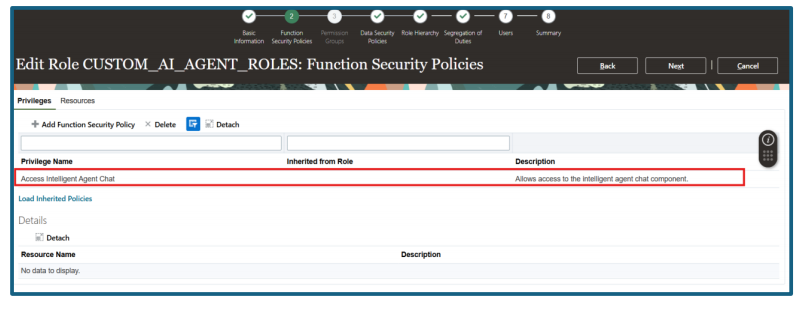
HRC_ACCESS_AI_AGENT_CHAT_PRIV
(Access Intelligent Agent Chat)
Allows access to intelligent agent chat
component.
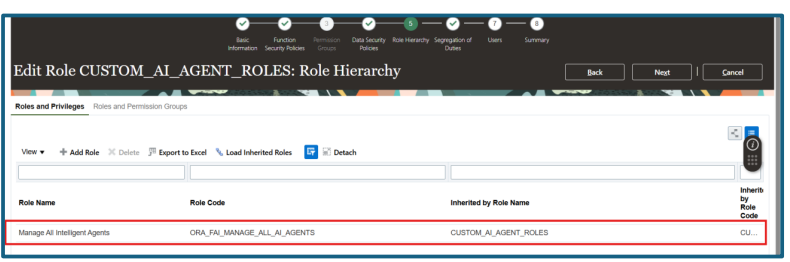
ORA_FAI_MANAGE_ALL_AI_AGENTS
( Manage All Intelligent Agents)
Manage All Intelligent Agents
ORA_RCS_SUPPLY_CHAIN_APPLICATION_
ADMINISTRATOR_JOB (Supply Chain
Application Administrator)
SCM Application Administrator
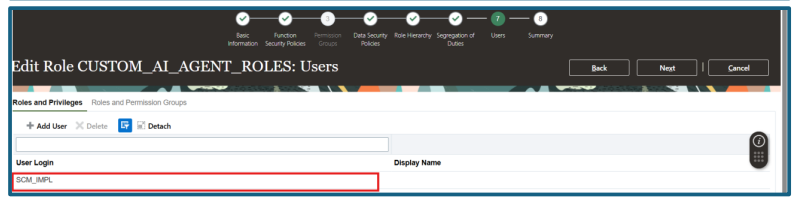
Role: CUSTOM_AI_AGENT_ROLES
Role: AI_AGENT_ADMIN_ROLE
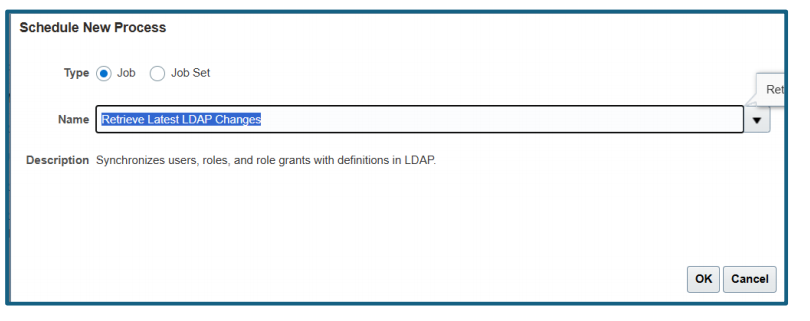
Run ESS Process “Retrieve Latest LDAP Changes” to synchronize roles/privileges to an user.
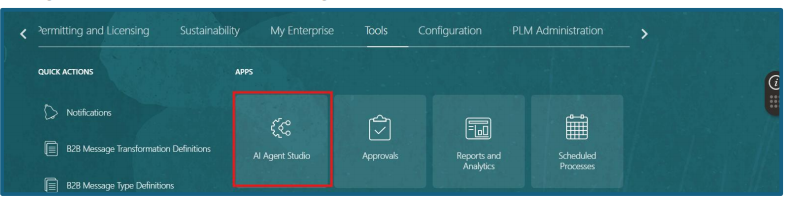
Navigate to AI Agent Studio
Navigation: Home ->Tools ->AI Agent Studio
ORURL:
https:///fscmUI/redwood/humanresources/ai-studio/launch
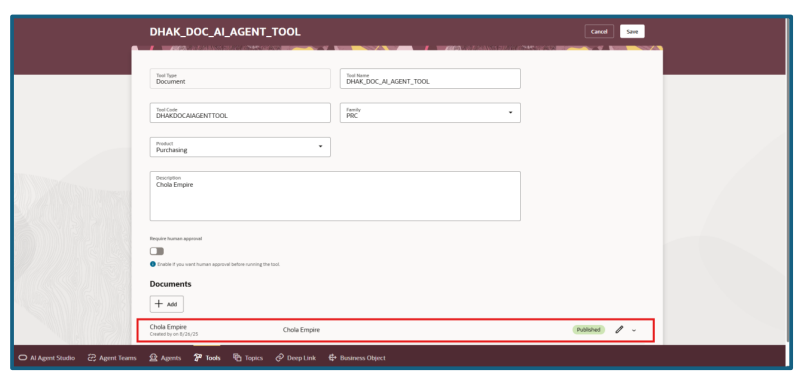
Create Document Tools
Navigate to Tools from AI Agent Studio.

Click “Add” button to create a new Document Tool.
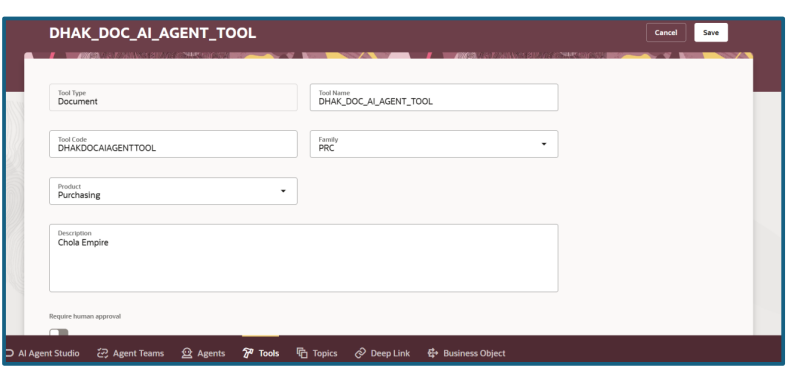
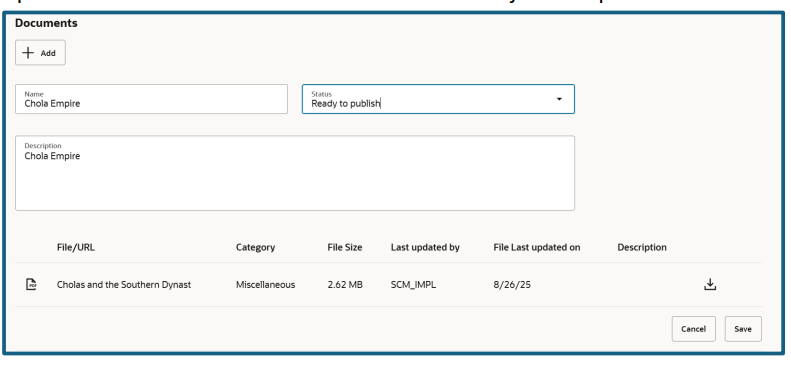
Upload any PDF document in Document Category. Status should be “Ready to Publish”. Click “Save” and execute the ESS process to publish the document for AI Agent.
Check here to to get Oracle fusion instance access for practice
Uploaded File Name is “Cholas and the Southern Dynasties.pdf”
Execute the ESS process “Process Agent Documents” [no parameter required].
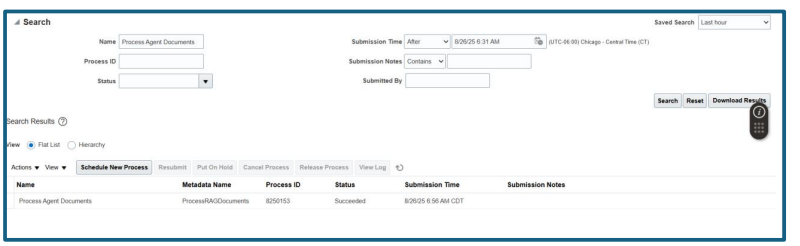
Request ID: 8250153
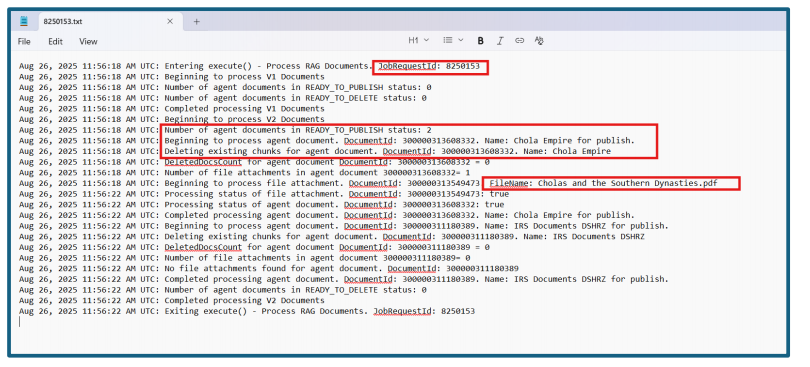
Check the Log/Output file to verify the document got published.
Output Shows it got published successfully.
Verify the same in Document Tools, where the status changes from “Ready to Publish” to “Published”.
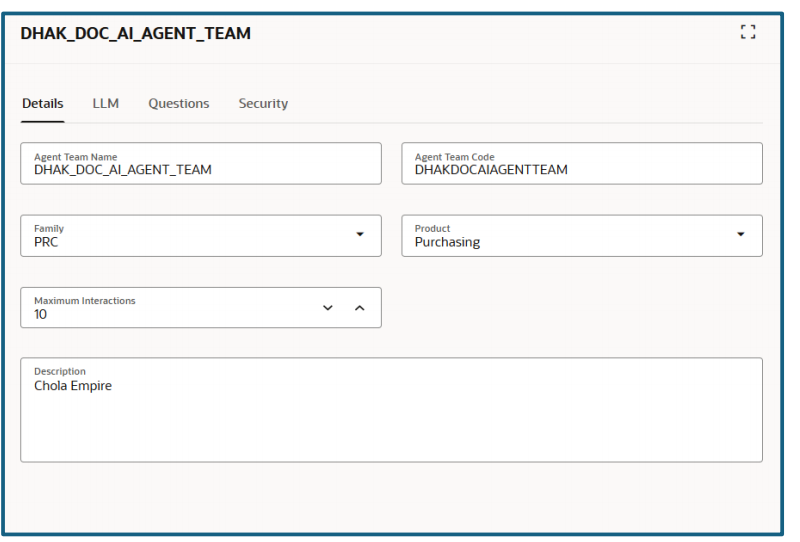
- Create Agent Teams
Navigate to “Agent Teams”

Click “Add” Button to create
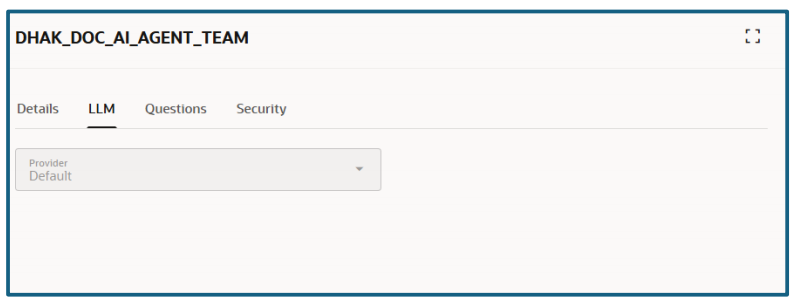
LLM is by Default value
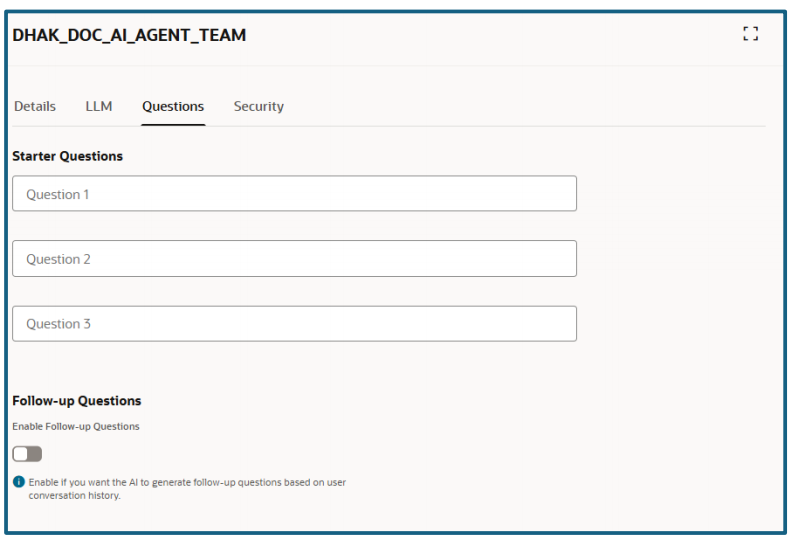
No changes to the Question
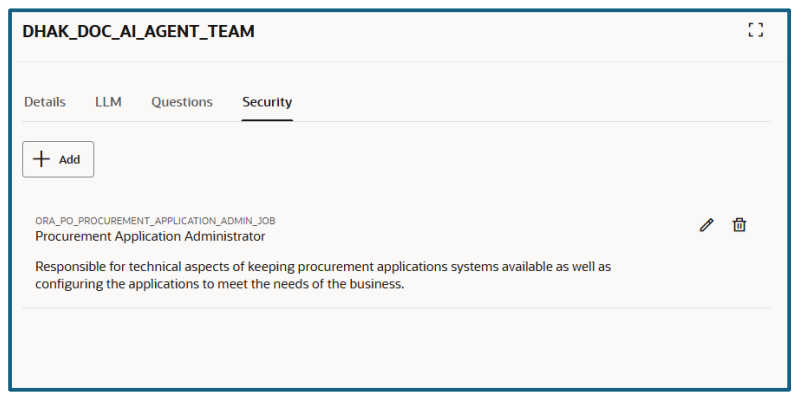
Security, assign “Procurement Application administrator” role and make sure it assign to your login user.
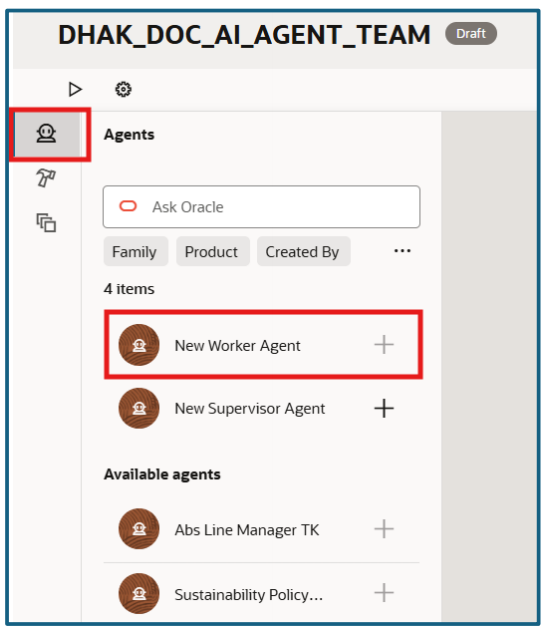
Create Agent as Worker
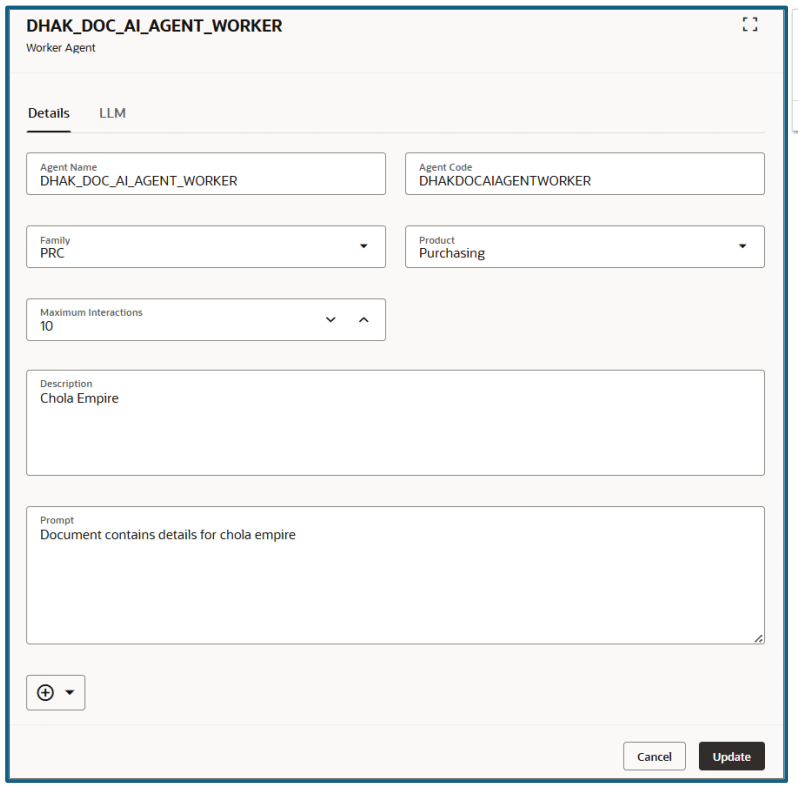
Provide the required details to create Worker Agent.
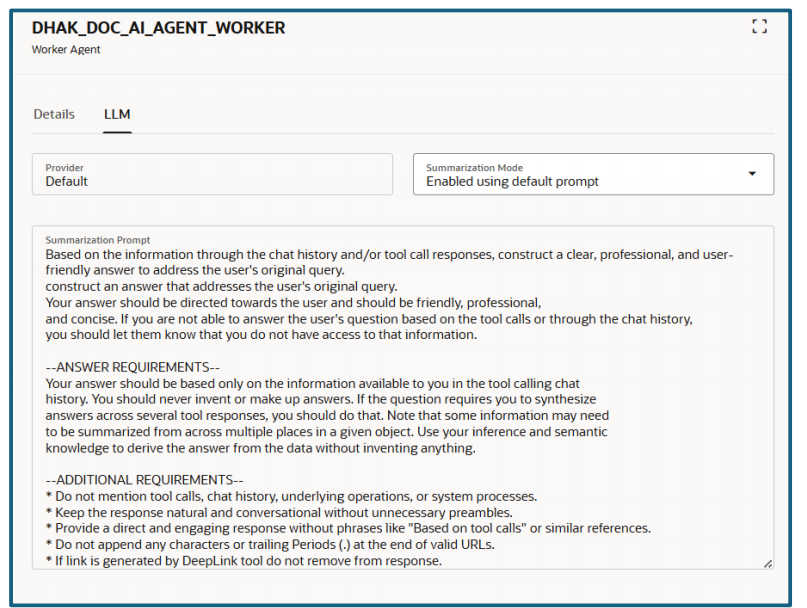
LLM at Worker Agent is also by default value
Add Tools by click the tool and “+” to add tools to worker agent.
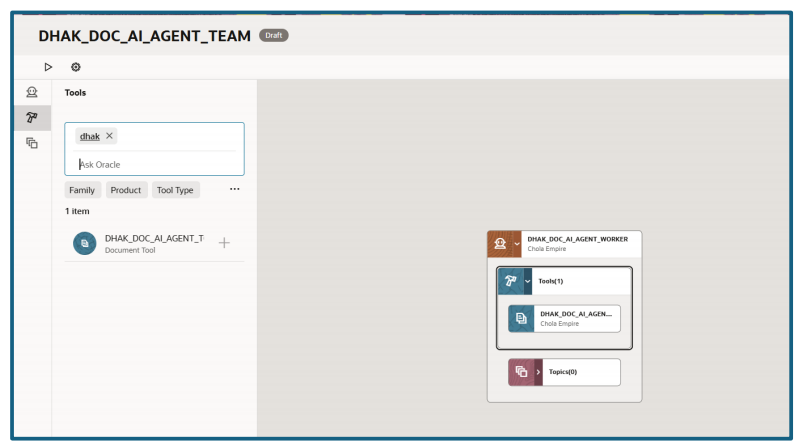
Click on Save.
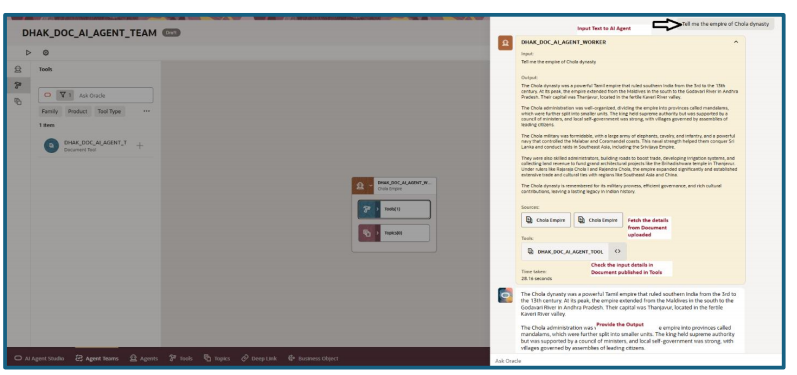
Testing for AI Agent by clicking on “Play” Button.

check here to read AI and redwood in oracle fusion Purchase Order


